
Rocketon Demo shows a fast round where a rocket rises as its multiplier changes. The screen at AH88 groups stake controls, cashout buttons, and recent outcomes. This article supports members who need clear rules, correct steps, and focused control testing.
Understanding the Rocketon demo structure at AH88
A Rocketon demo round opens with a betting period before the rocket launches. Members choose a sample stake, confirm their entry, and watch the multiplier increase. The key decision is cashing out before the flight suddenly ends.
Because demo credits have no cash value, members can review controls without using real currency. The Rocketon demo screen keeps the normal round sequence, so each button retains its usual function. Outcomes remain uncertain because every launch may stop at another multiplier.
Available options include automatic cashout, half cashout, and two separate bets during one round. Players can compare a PHP 100 example with a USD 2 example with simulated credits. These settings help members understand timing, layout, and result records.
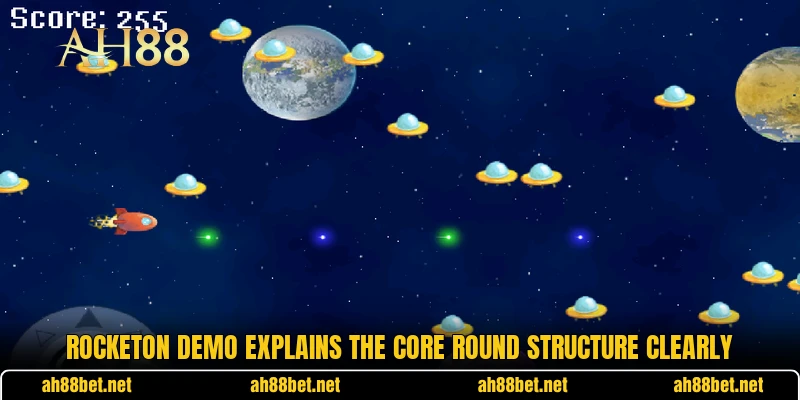
How each round operates from start to finish
Every launch follows a fixed sequence, although its endpoint remains unknown. Members should understand each stage because delayed input may change the recorded result.
Using Rocketon demo wagering controls
Before betting closes, members enter a sample stake and check the displayed amount. Plus or minus buttons adjust values, while direct entry sets another figure. A position becomes active only after the interface accepts it.
Some layouts allow two positions during one launch, so members can prepare different cashout targets. One entry may close earlier, while another remains active for a later result. Official game information lists two bets among the available features.
During Rocketon demo testing, smaller examples make control changes easier to notice. A PHP 50 position follows the same basic flow as a USD 5 position. Since credits are simulated, these figures only illustrate interface behavior.
Following the ascent multiplier
After betting ends, the rocket rises while the displayed multiplier increases. Its value may stop quickly or continue, but nobody knows the endpoint. Each active position remains open until cashout succeeds or the flight finishes.
A successful cashout applies the displayed multiplier when the command reaches the system. For example, PHP 100 at 1.50x produces a shown return of PHP 150. Likewise, USD 4 at 2.00x displays USD 8 in the record.
Earlier results may appear in the Rocketon demo history, but they cannot predict later outcomes. Members can use that panel to read formatting, order, and previous cashout points. Every new launch remains separate from earlier endings.
Choosing the cashout moment
The cashout button matters because the current value changes throughout the flight. Closing earlier usually records a lower multiplier, while waiting keeps the full position exposed. Neither option guarantees success because the rocket can finish first.
Automatic cashout allows members to set a target multiplier before launch. When the rising value reaches that target, the system attempts to close automatically. A very early ending can still prevent the command from completing.
A Rocketon demo session can compare manual and automatic commands across several rounds. Members should check whether each closure matched the selected target and appeared in history. This comparison explains control behavior without treating past outcomes as forecasts.
View more: Goal Strategy – Plan Score Picks With Better Control
Reading the round result
When the rocket stops, the interface shows the final multiplier and closes remaining positions. Cashed entries display their recorded return, while open bets lose their demo credits. Another countdown then begins, allowing members to prepare new settings.
Result details may show stake, cashout value, final multiplier, and completion time. Players should review these fields because a missed command differs from a successful closure. Clear records also separate outcomes from two active positions.
If PHP 200 closes at 1.25x, the displayed return becomes PHP 250. If USD 10 remains active when the flight ends, that entry records no return. Actual labels may differ slightly across devices or interface versions.

Methods for reading options and testing different choices
The Rocketon demo includes several settings that members can compare without real funds. Each test should change one control, so the resulting difference remains easy to identify.
Testing two distinct bet positions
Two positions let members assign different cashout plans during the same rocket launch. One side can close earlier, while the other waits for a higher multiplier. Since both share one endpoint, their results clearly show timing differences.
A member might set PHP 100 at 1.30x and leave PHP 50 under manual control. Another test could pair USD 3 at 1.50x with USD 2 at 2.00x. These figures are examples, not suggested stakes or expected returns.
The Rocketon demo record should separate both outcomes after each paired attempt. Members can confirm automatic closure, manual input, and any amount left active. Repeating the layout may clarify controls, but it cannot create a guaranteed pattern.
Using automatic automated settings
Auto bet places repeated demo entries according to settings chosen before the sequence starts. Members should check stake size, round count, and stopping conditions before activation. An incorrect field may repeat an unwanted setup several times.
Auto cashout works with automatic entry when both options are enabled correctly. The first tool submits positions, while the second attempts closure at a chosen multiplier. Official details identify both features, though layouts can present them differently.
Members can begin with one automated round before a longer sequence. Afterward, history should match the selected amount, target, and attempt count. This limited test catches setup errors before more demo credits are used.
Applying the partial cashout option
Half cashout secures part of an active position while the remaining portion continues upward. The official description states that members collect half and keep the rest active. This feature creates two linked outcomes from one original entry.
A PHP 200 demo position may use half cashout at a selected value. One portion becomes recorded immediately, while the remaining share continues until closure or ending. A USD example follows the same calculation structure.
Players should check both result lines because partial closure can be misunderstood. The secured part remains recorded, while the continuing share still faces the endpoint. Repeated testing helps members recognize labels, timing, and final history.

View more Category: Arcade
Conclusion
Rocketon Demo explains launch timing, multiplier movement, cashout commands, and result records through simulated rounds. Members can use AH88 to review these controls with PHP or USD examples before real play. Register, download the app, open the game, and may every future session bring good luck.